As the title suggests, I’m going to share a quick tutorial on how to host a website, currently in a GitHub repository, on Nekoweb. I decided to write this after coming across a useful tool this morning. It all started with a specific site, https://maxpixels.moe/, which uses the Astro framework and is hosted on Nekoweb via GitHub.
Put your token first
First, get the API token here, then click “regenerate”.
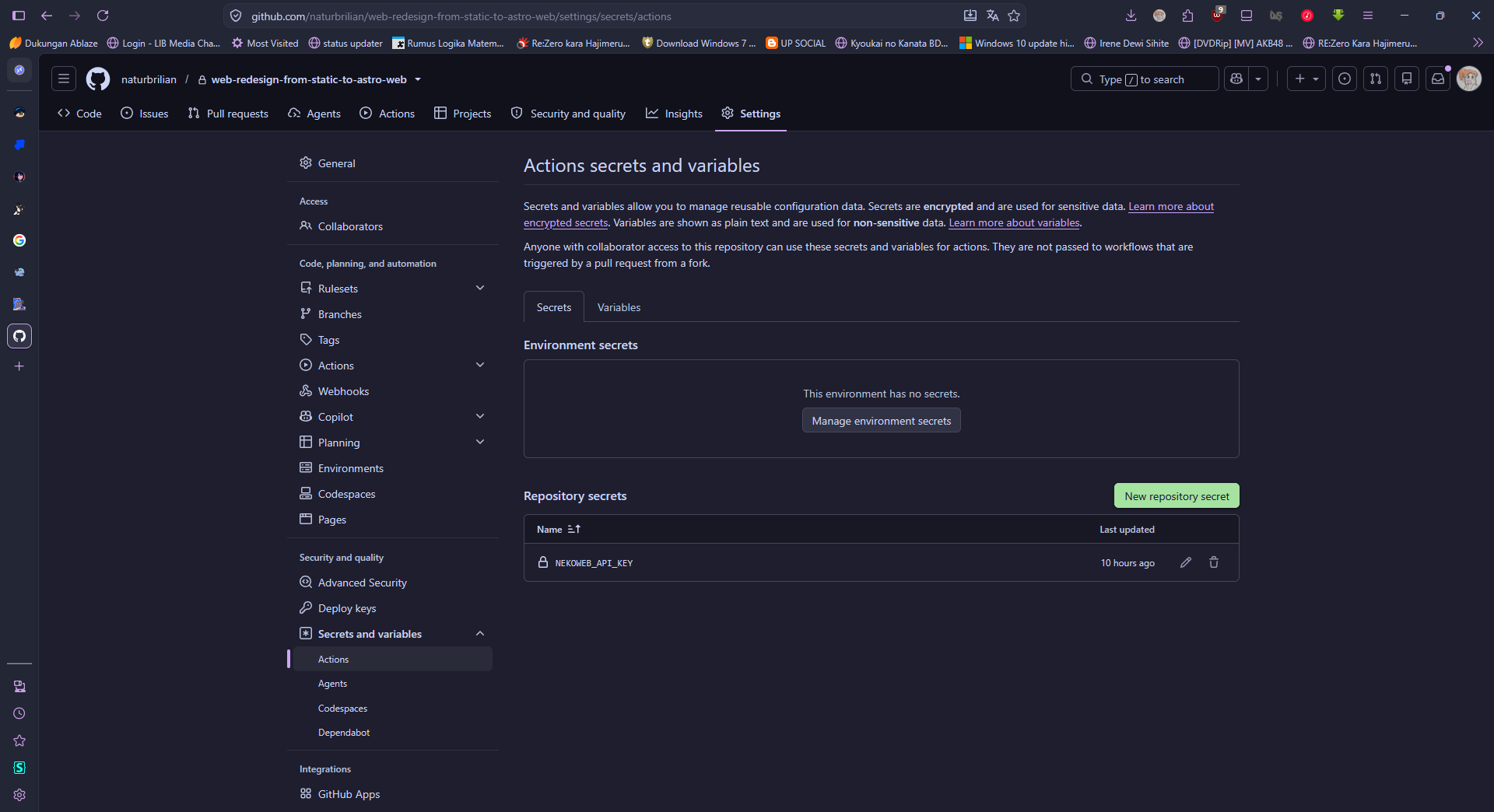
Second, after obtaining the API Key, go to the repository where your website is hosted, for example, the “My Astro Website” repository.
Next, under Settings, go to “Actions secrets and variables” and create a “New repository secret.” Configure the name and value as shown in the image, enter the API token you got from Nekoweb API before, and then click save.
Create a deploy script
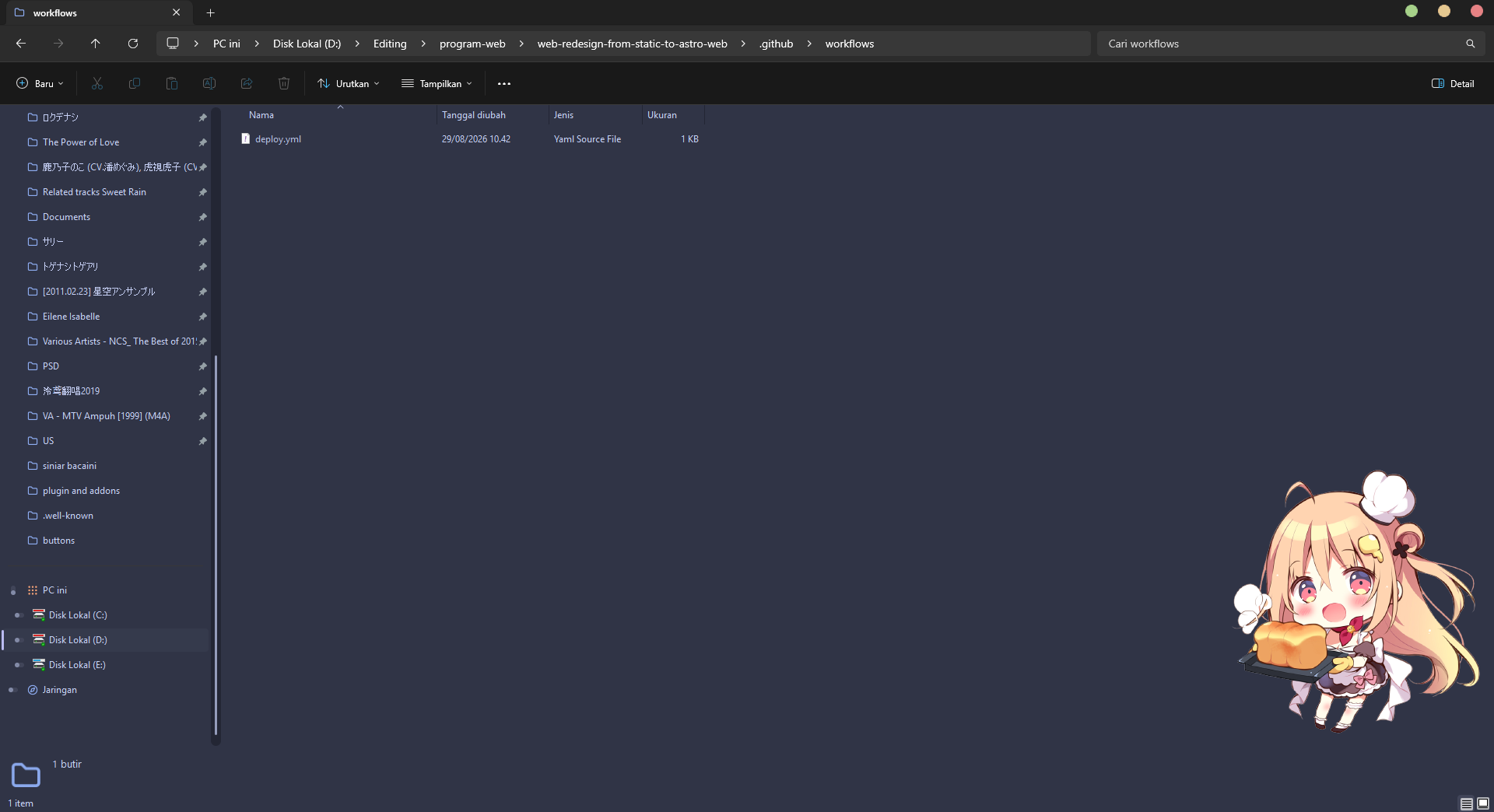
Next, you’ll create a script to deploy to Nekoweb, I recommend doing this locally, okay!
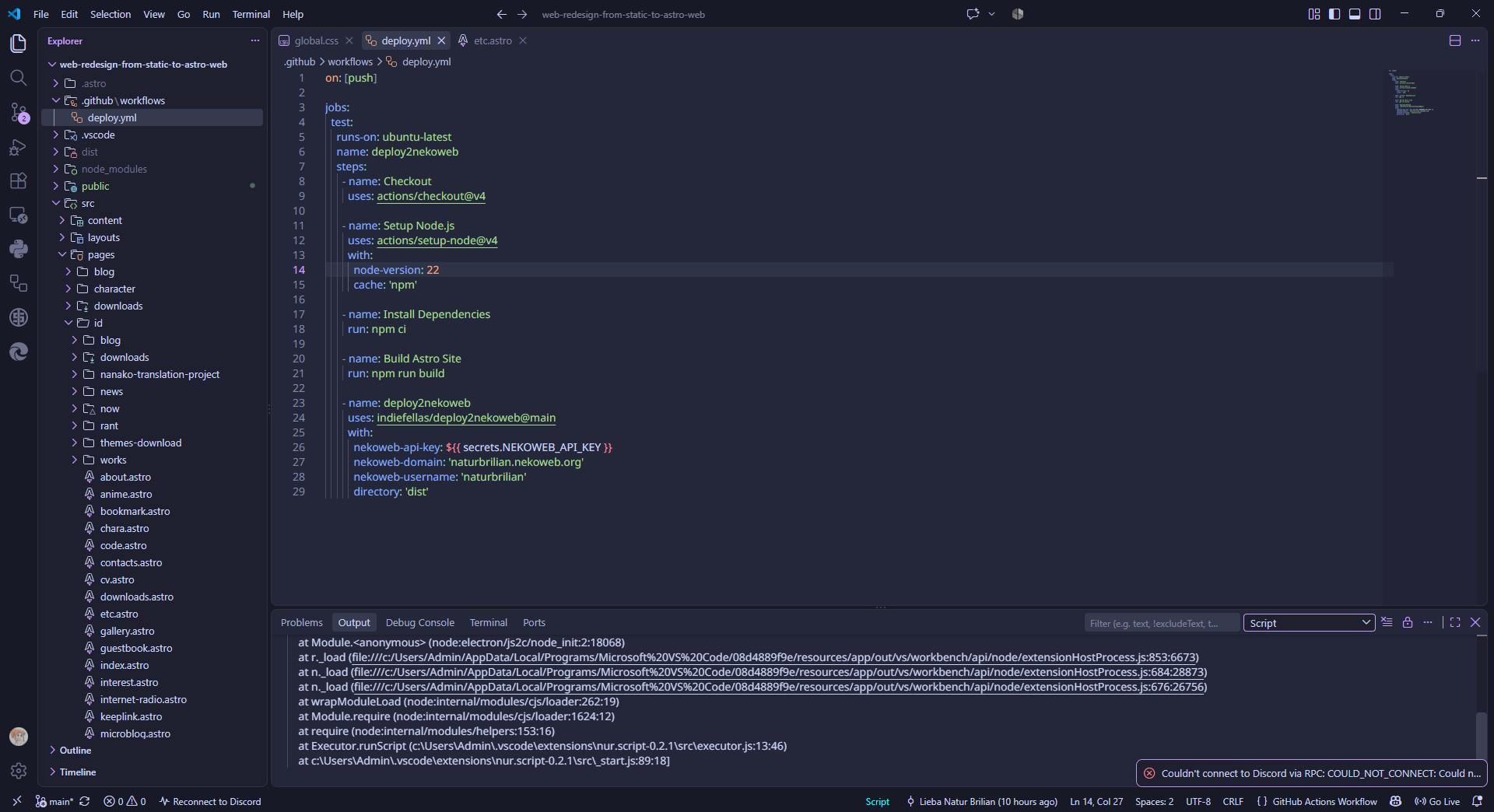
Create a folder structure in File Explorer like this, then open the deploy.yml script using your favorite code editor, I’m using VS Code here because it’s easier.
If you already have the GitHub Actions extension installed in VS Code, it is very easy; if not, VS Code will usually prompt you to install it first. Grab the example code here, copy and paste it into VS Code, add the necessary values, something like this, and then save the file.
on: [push]
jobs:
  test:
    runs-on: ubuntu-latest
    name: deploy2nekoweb
    steps:
      - name: Checkout
        uses: actions/checkout@v4
      // ini yang ditambah

      - name: Setup Node.js
        uses: actions/setup-node@v4
        with:
          node-version: 22
          cache: 'npm'
      - name: Install Dependencies
        run: npm ci
      - name: Build Astro Site
        run: npm run build
      - name: deploy2nekoweb
        uses: indiefellas/deploy2nekoweb@main
        with:
          nekoweb-api-key: ${{ secrets.NEKOWEB_API_KEY }}
          nekoweb-domain: 'username.nekoweb.org'
          nekoweb-username: 'username'
          directory: 'dist'
Why does it need to be set up in the “dist” folder? Because that is where all the built HTML files will be located.
Run Build
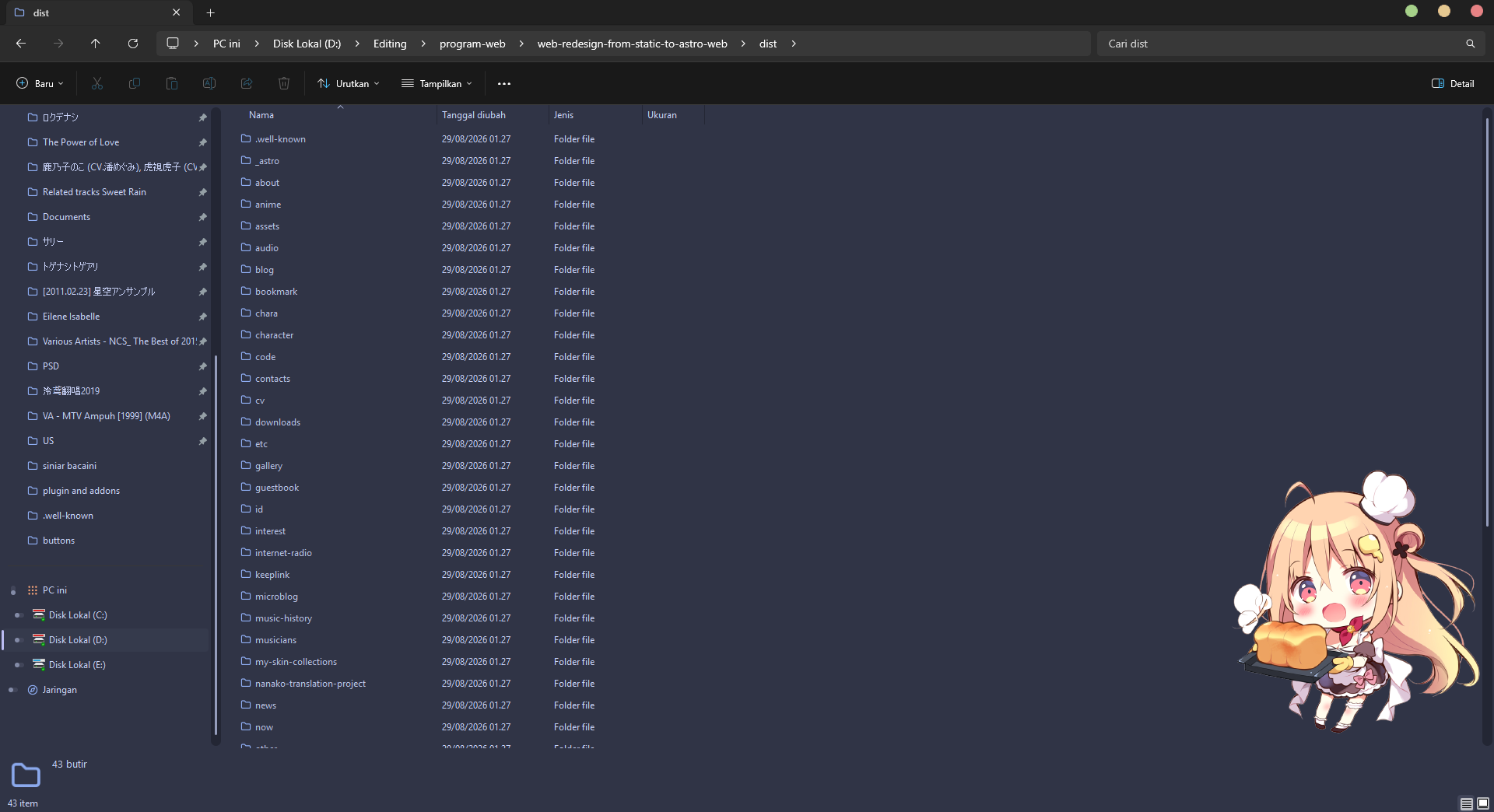
Before deploying to Nekoweb, you first need to build the project locally to generate the HTML files, simply run the command “npm run build” in VS Code and wait for the process to complete. All the files generated by this command will appear here, ready to be used for the deployment to Nekoweb.
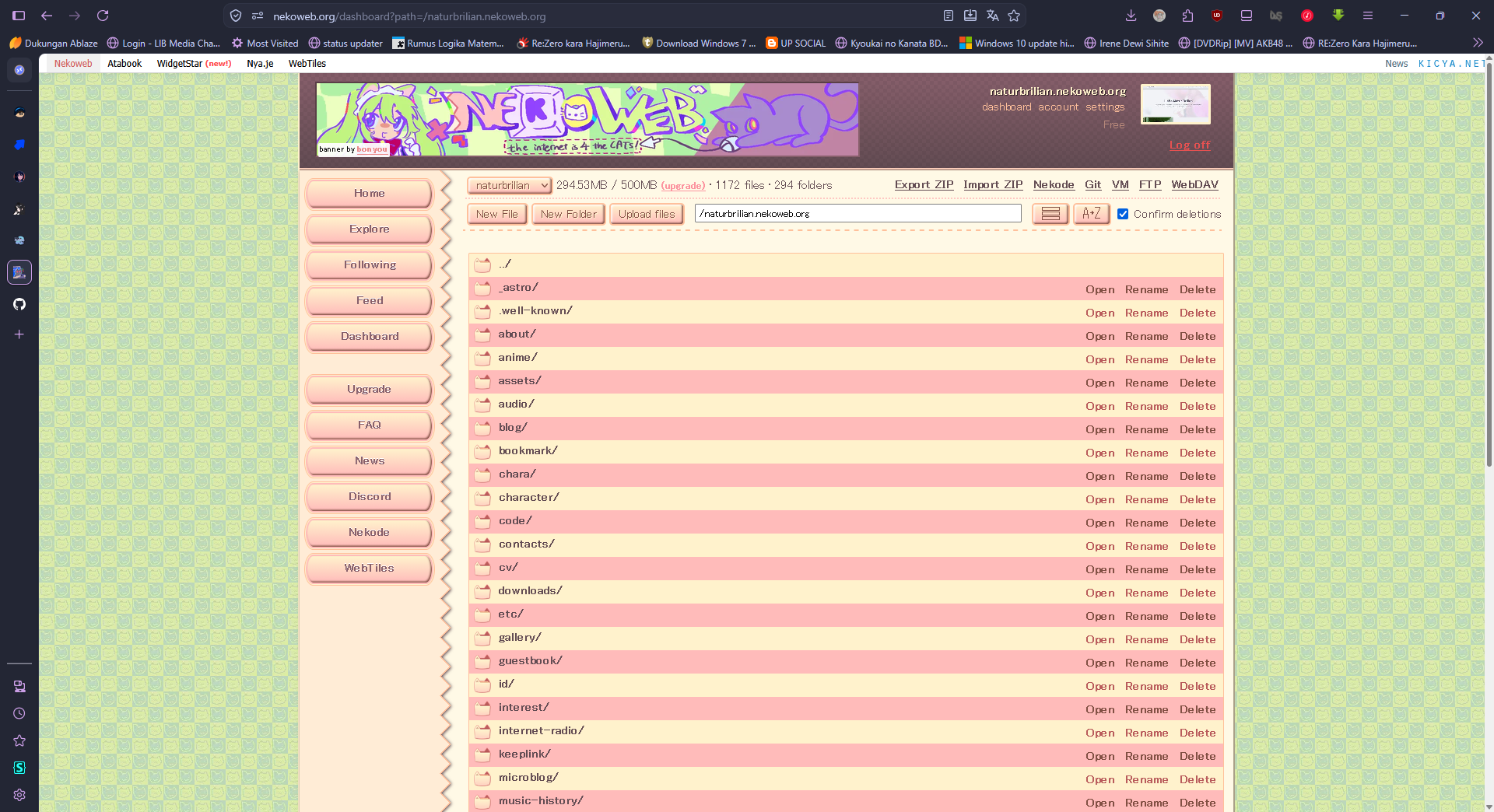
Once all the HTML files have been generated, simply click “commit and push” to GitHub; the process will run, and if successful, the results will appear here.
Is the method used on Neocities the same?
If you want to host on Neocities, it’s more or less the same, though the auto-deploy script requires some adjustments; however, I’m not interested in hosting there right now because access to Neocities is blocked by digidaw.