Hello, it feels like I haven’t written an article on this personal blog for a long time, because I’ve been busy playing Princess Connect Re:Dive and have been busy in RL. So I took the time to write an article about a tutorial again, so yesterday on one of the Discord servers called Yurasubs server, one of the admins asked me, how to lock a Facebook account like this
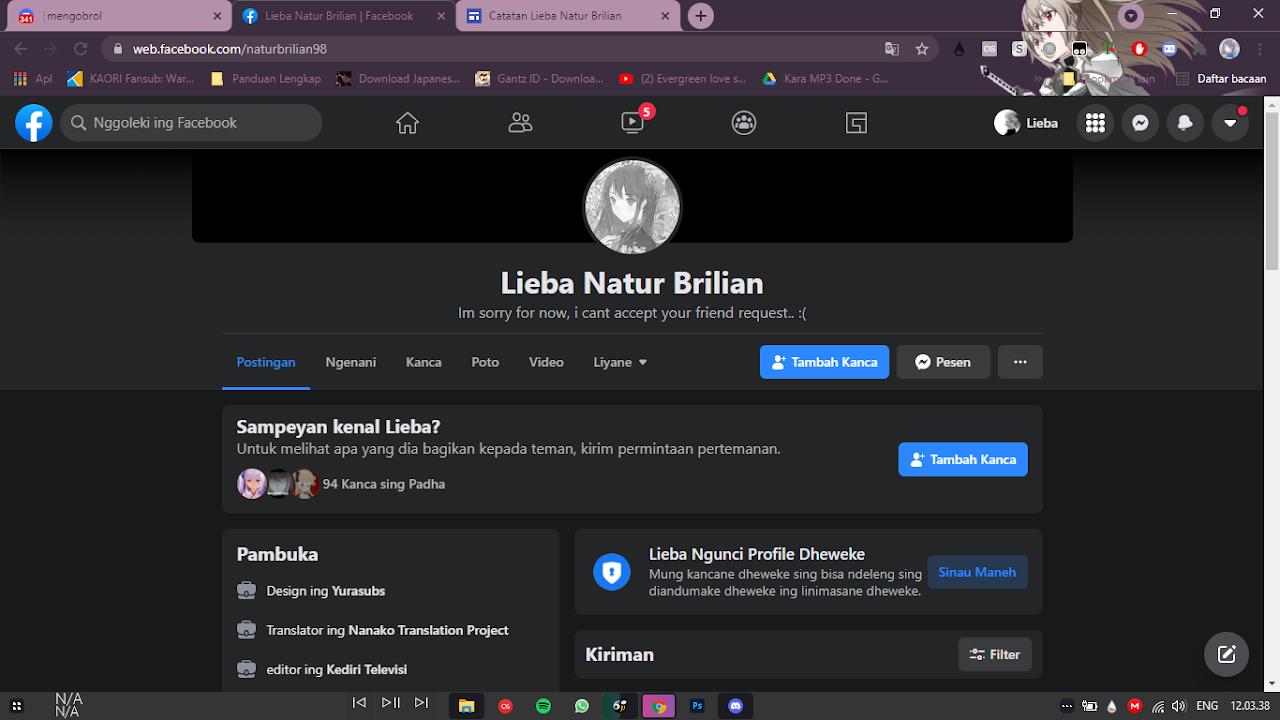
So previously I have made a tutorial, but unfortunately I did not upload the tutorial video on my usual account, but on a real life account, because I am sure you understand, the previous tutorial has been shared by one of the Facebook account users, only the post was drowned, let’s start the steps, okay.
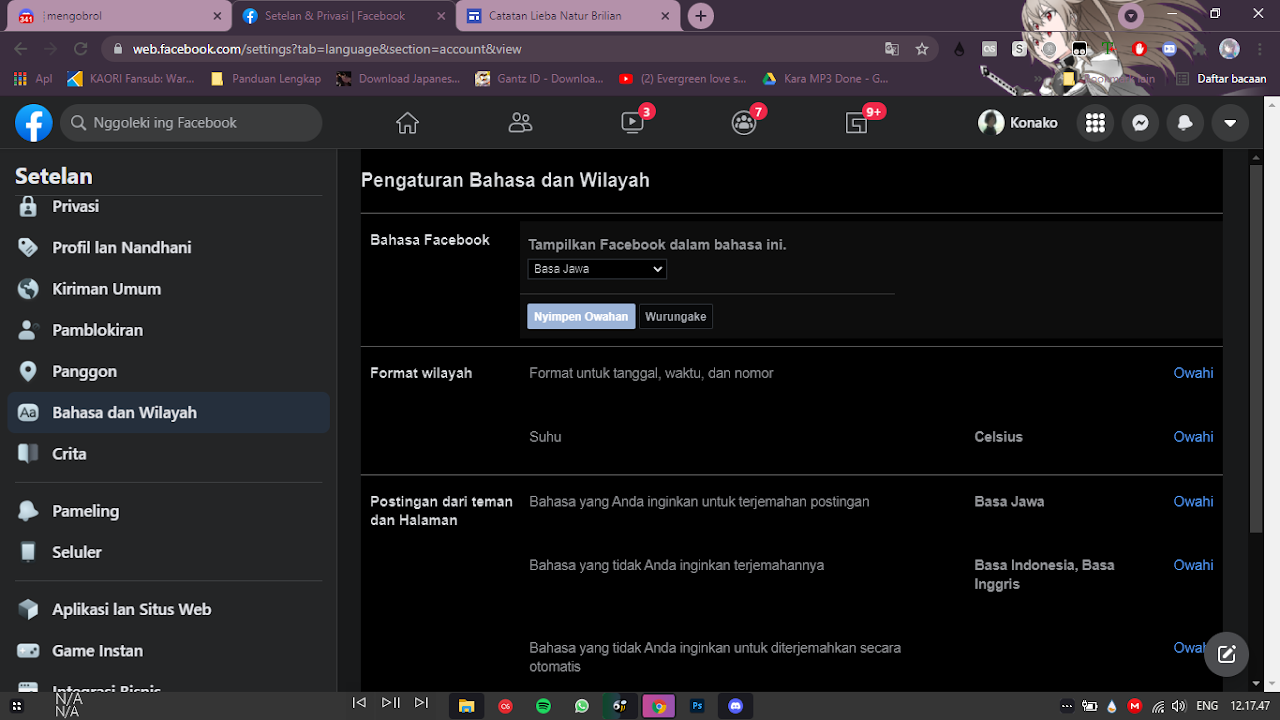
Sign in to your account
Make sure the account you are using has never been locked before, the first step is to go to the settings section, then you go to the Language tab, this is the most important (because the current author’s display language is Javanese)
Language
Of course, for this feature you have to change the language to Burmese/Myanmar, because this setting or feature is not available if you use Indonesian or Javanese, let’s change the interface of your account. Then if the interface change to Myanmar, dont forget to use a translator tools.
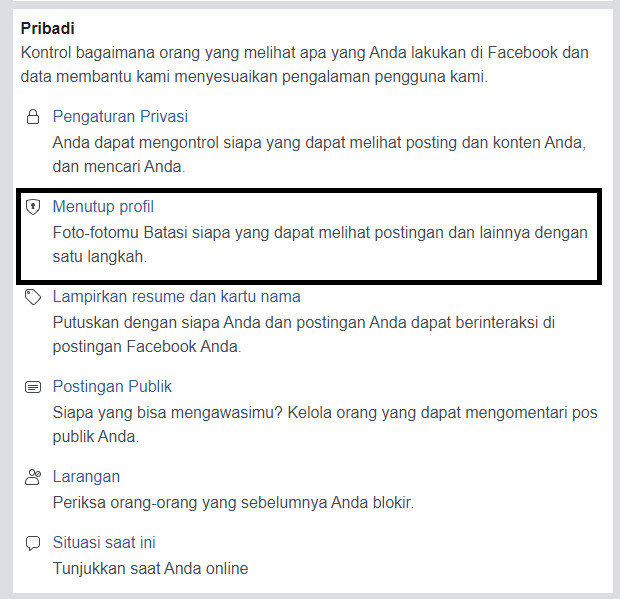
Change the display to mbasic if you are still confused
If you are confused about finding the “locked profile” setting, you can change the Facebook display to mbasic, just type it in the browser bar as usual, then go to settings > scroll down (Private section) until you see a lock image like this (the image on the side/above), then press “close your profile”
Done
If so, the display will look like this, meaning it was successful. Don’t forget to change the display language back to your preferred language. A̶c̶t̶u̶a̶l̶l̶y̶,̶ ̶t̶h̶i̶s̶ ̶m̶e̶t̶h̶o̶d̶ ̶i̶s̶ ̶v̶e̶r̶y̶ ̶e̶a̶s̶y̶,̶ ̶i̶t̶’̶s̶ ̶j̶u̶s̶t̶ ̶t̶h̶a̶t̶ ̶s̶o̶m̶e̶t̶i̶m̶e̶s̶ ̶p̶e̶o̶p̶l̶e̶ ̶a̶r̶e̶ ̶l̶a̶z̶y̶ ̶t̶o̶ ̶p̶r̶a̶c̶t̶i̶c̶e̶ ̶i̶t̶,̶ ̶a̶n̶d̶ ̶t̶h̶e̶r̶e̶ ̶a̶r̶e̶ ̶s̶t̶i̶l̶l̶ ̶p̶e̶o̶p̶l̶e̶ ̶w̶h̶o̶ ̶a̶s̶k̶,̶ ̶h̶o̶w̶ ̶t̶o̶ ̶d̶o̶ ̶i̶t̶.̶ For Lite users, after you change the display language, just go to the settings section and do the same thing (because the settings display uses mbasic)
Video Tutorial
So, in addition to providing a written tutorial, I also created a video version, which I recorded a few months ago.
That concludes the tutorial and the article I wrote. I’m just rewriting it here because the original post has been lost, and I’ve forgotten the name of the Facebook account that posted the tips.
Additional Notes
You can’t currently use this tutorial due to changes to Facebook’s configuration settings. I’ll try to create a tutorial once I find a solution. That’s all from me.