Finally, I have an idea to type again, so this time I really remembered something a few months ago when I asked AI chatGPT and Google Gemini because I was really lazy with GUI, especially music players.
It all started with curiosity: could CLI and Terminal (TUI) do something other than install applications? And it turns out the answer is yes.
So yesterday I found an alternative way to play songs via CLI Terminal, but it’s really complicated to setup if you’re a first timer. Here I’ll give an example of an audio player that’s truly TUI-based, called musikcube. You can download it via chocolatey or visit their repository by searching for “Musikcube” on the internet.
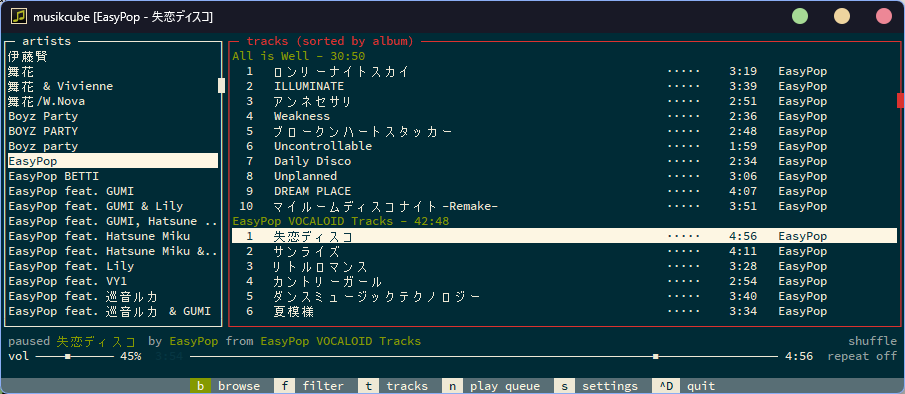
The interface for Musikcube is like this for the player dashboard, more or less similar to foobar2000.
Configuration
Before we play your favorite songs, we need to configure it first. Oh yes, it’s important to know that Windows and Linux are different, so the complexity is actually in the Windows version rather than the Linux version. The initial display before starting or adding it looks like this. As a first timer, I was a bit confused, but this is where the fun lies compared to using a GUI.
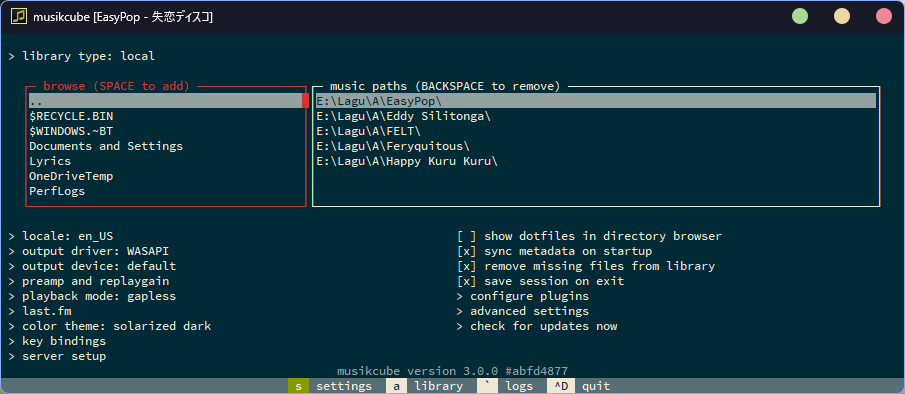
We use the Tab key to move between columns, just like you would set up the BIOS (legacy) on your PC or laptop. Press ”…” to navigate to another directory. For example, if I put my song collection on drive E and press Enter, all your song folders or files will appear there.
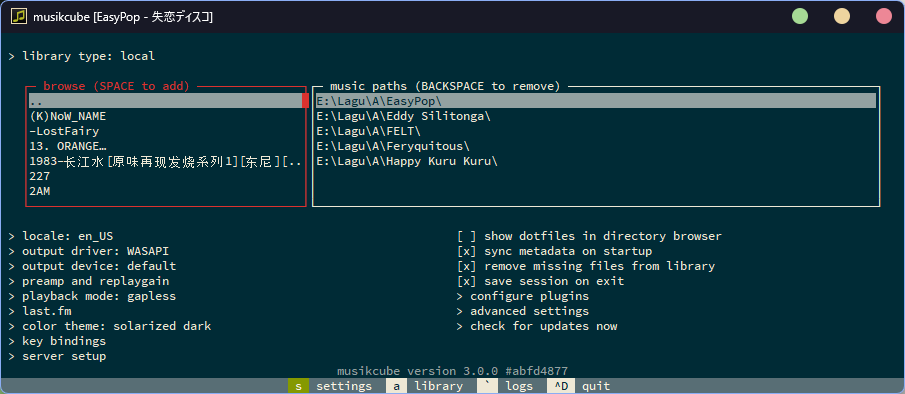
To add files/folders follow the instructions on the screen, use the space bar to add, after all are added press “A” to go to the library, we play the song just press enter (usually in GUI press play/pause), and to pause we use the space bar. Honestly, this CLI is the simplest and most advanced way compared to GUI
How about with AIMP-CLI
Unfortunately, AIMP is limited to play, next, pause, stop, and volume (this feature is not available in version 4.13). Look at this screenshot, it looks like command spam
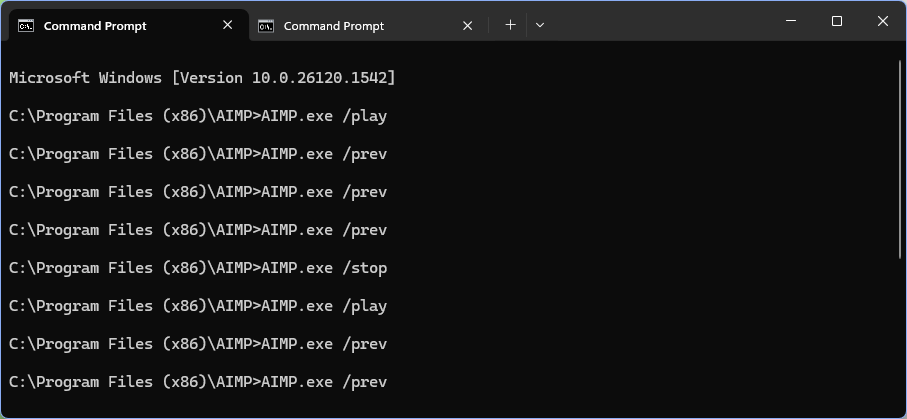
Some of the commands I found, both via AI ChatGPT and the offline Wiki, were incomplete, or perhaps focused on the GUI. However, there’s an interesting point: you can install skins via the CLI as well, but I don’t recommend using them carefully or reading the wiki instructions carefully. Yesterday, I made a mistake where the /skin command was supposed to replace the playlist.
Actually, there are many things I need, but it turns out that these features are not available in the CLI, such as configuration via CLI, viewing playlists, or progress during playback.
How about on Phone?
For mobile phones, I haven’t tried it yet but I’m also curious about how it works listening to songs via CLI & terminal, maybe I’ll try it later